The capabilities of a CRM system in generating analytics and reporting are quite wide.
Companies can receive data on both general business performance metrics
and customize analytics based on their own criteria.
In general, CRM collects analytics on: leads, sales, managerial performance, clients and also generates end-to-end analytics. A big advantage in building analytics is the ability to filter results by absolutely all fields.
We can add any custom field to the filter and create a report, for example, on orders with or without delivery.
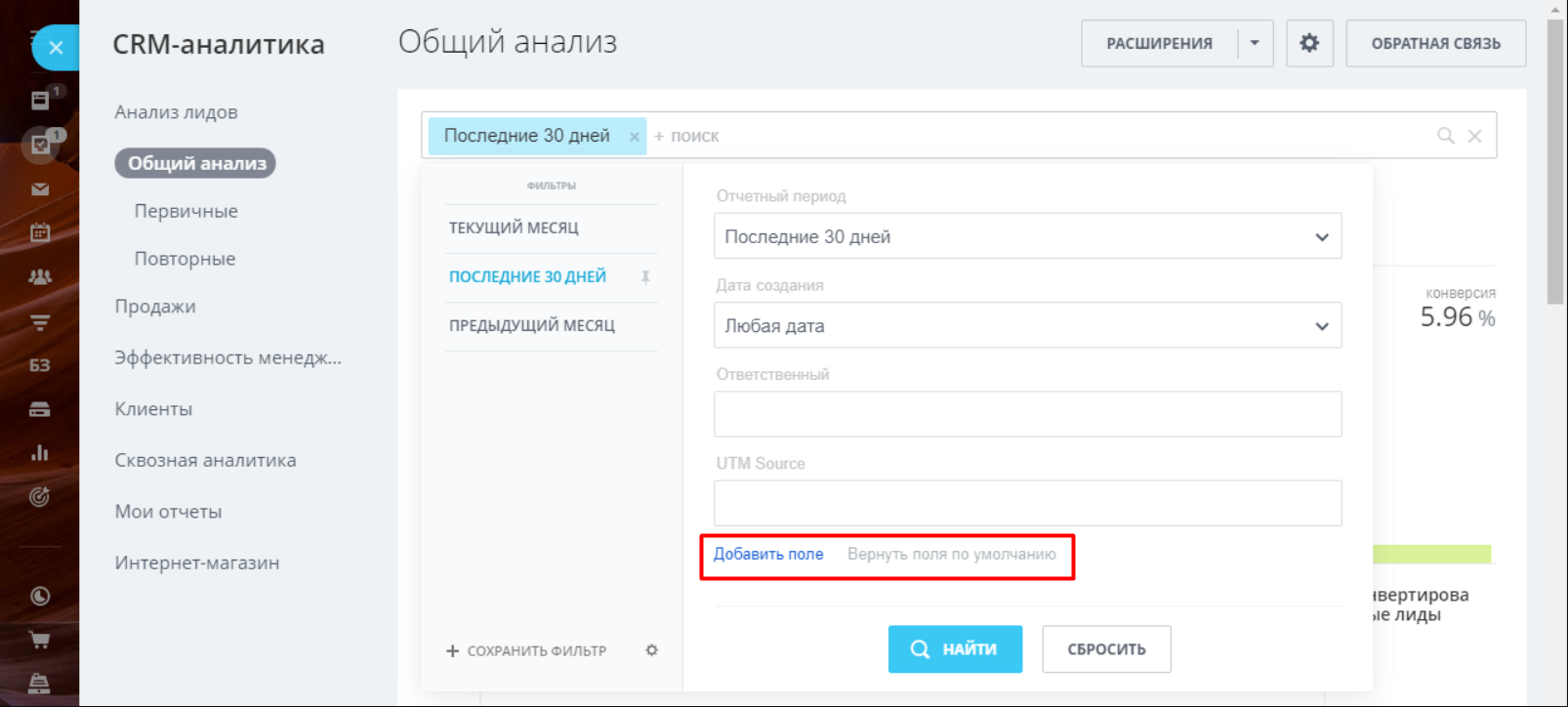
General analysis
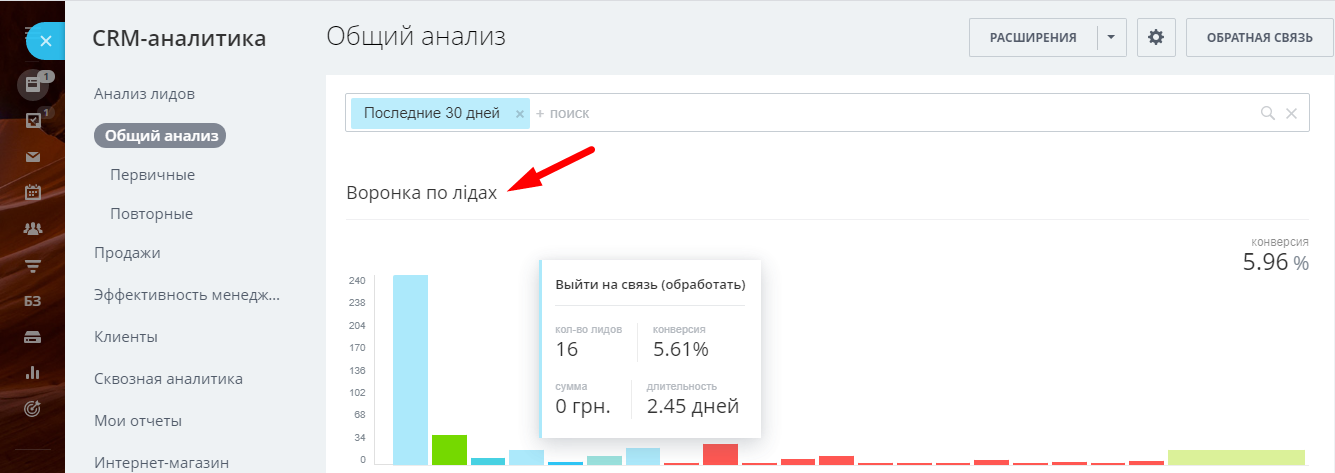
General analysis in CRM helps answer questions about the status of leads at each stage of business processes and evaluate the performance of managers. When hovering the cursor over each element of the graph, the user can see the number of leads and data on them.
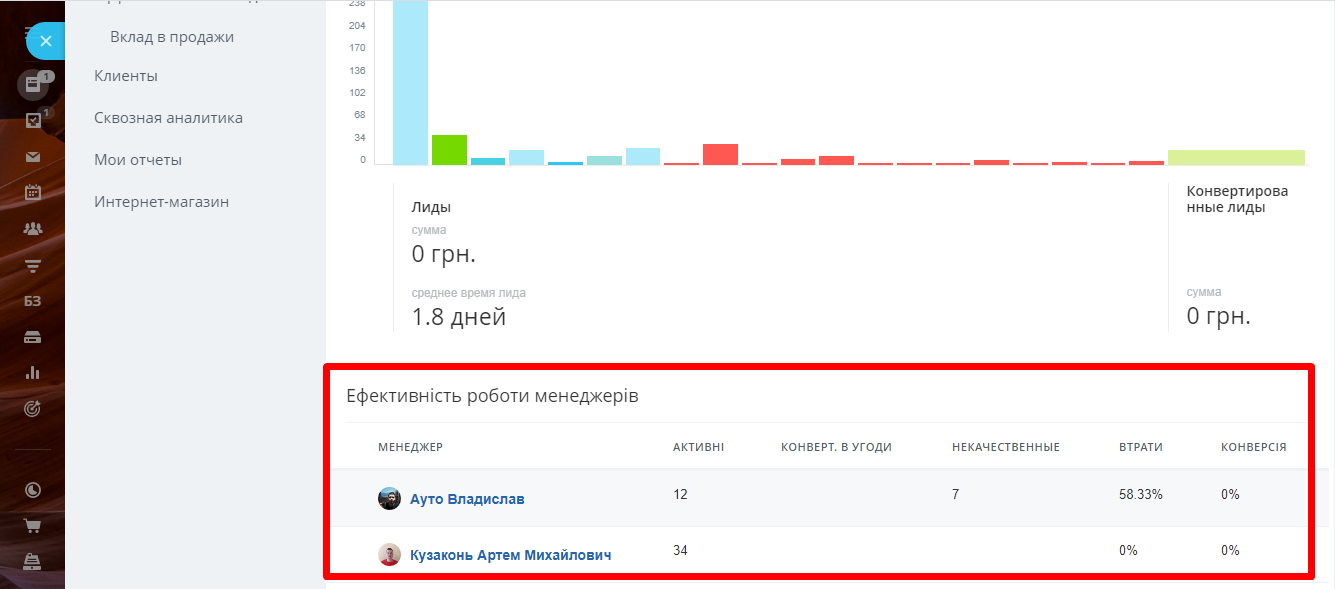
Evaluation of managers’ performance
To evaluate the work of managers, CRM generates a table indicating how busy the manager is at the moment (number of leads), and parameters of the quality of his work (how many leads were converted into a deal, the number of low-quality leads and the total number of conversions for the manager).
*When you click on any of the analytics parameters, it opens a list of leads that are taken into account in this column.
Sales analysis
You can analyze sales in CRM both in general and by individual funnels. This chart will help you track the entire sales process: from creating a lead to closing a deal.
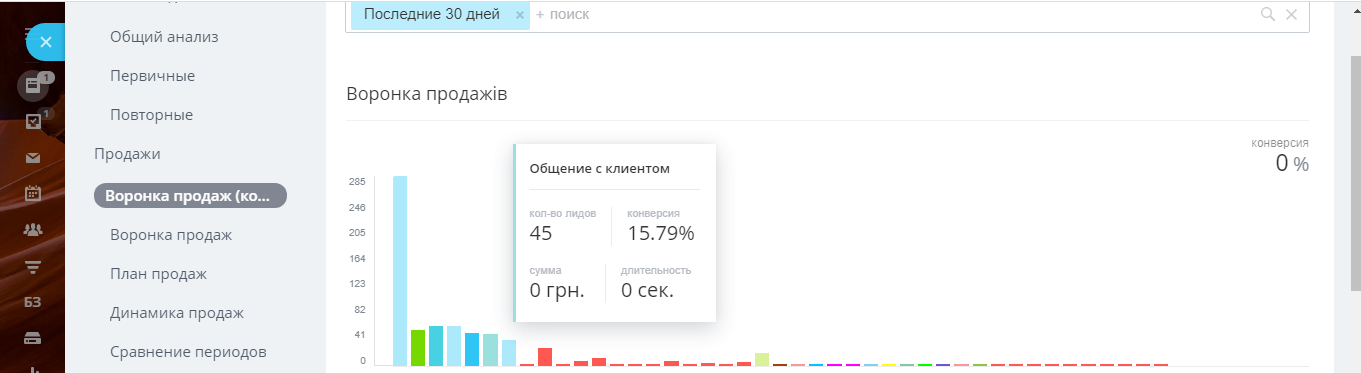
The system can also generate a report on sales dynamics, sales comparison reports for two periods, a report on the implementation of the sales plan, and so on.
End-to-end analytics
End-to-end analytics is an integral tool in marketing work and one of the best assistants to a marketer in a company.
The task of end-to-end analytics is to calculate the effectiveness of marketing actions and evaluate the work across all channels and methods of communication for the competent distribution of the advertising budget in the future.
To set up end-to-end analytics, you need to connect all used traffic sources, both online and offline, to the CRM.
For example, you placed an advertisement on the radio, collect applications from the website, from social networks and advertising on Google. From all these points, leads come to your system, and in order to take into account how many leads come from each source and how high quality they are (what is the ratio of successful and unsuccessful transactions), they are all added to the system.
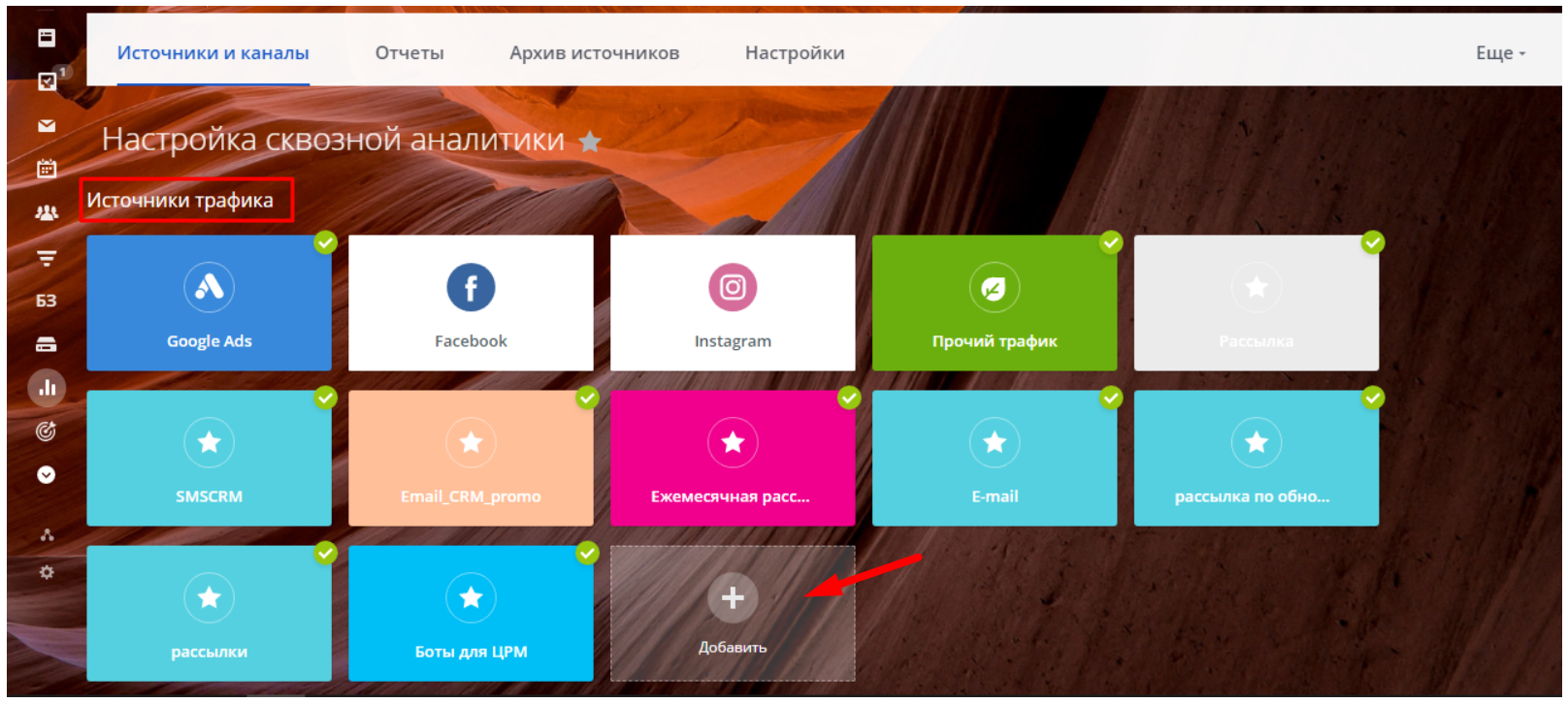
In order to analyze exactly how clients come (they call, leave a request on the website, write in the messenger, see an advertisement), you also need to connect all traffic channels.
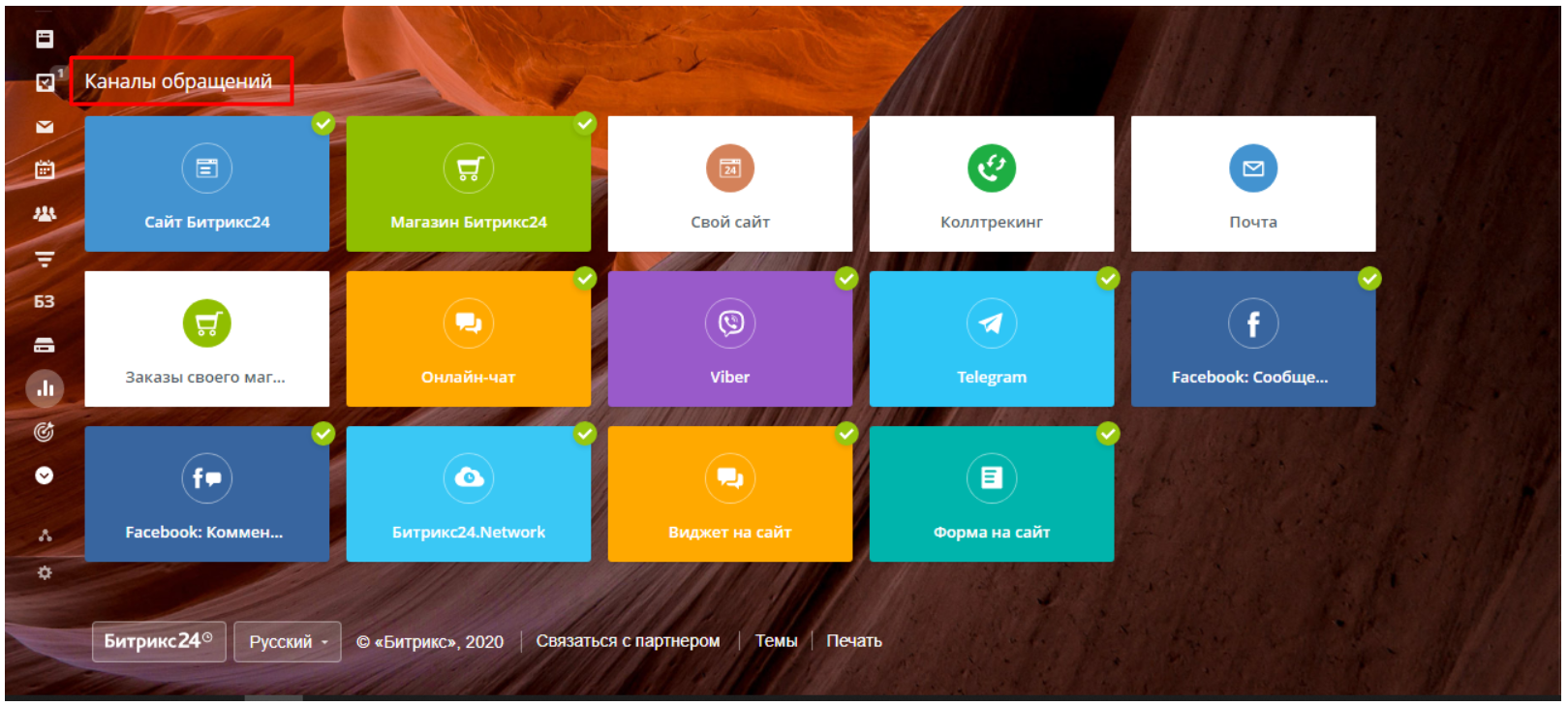
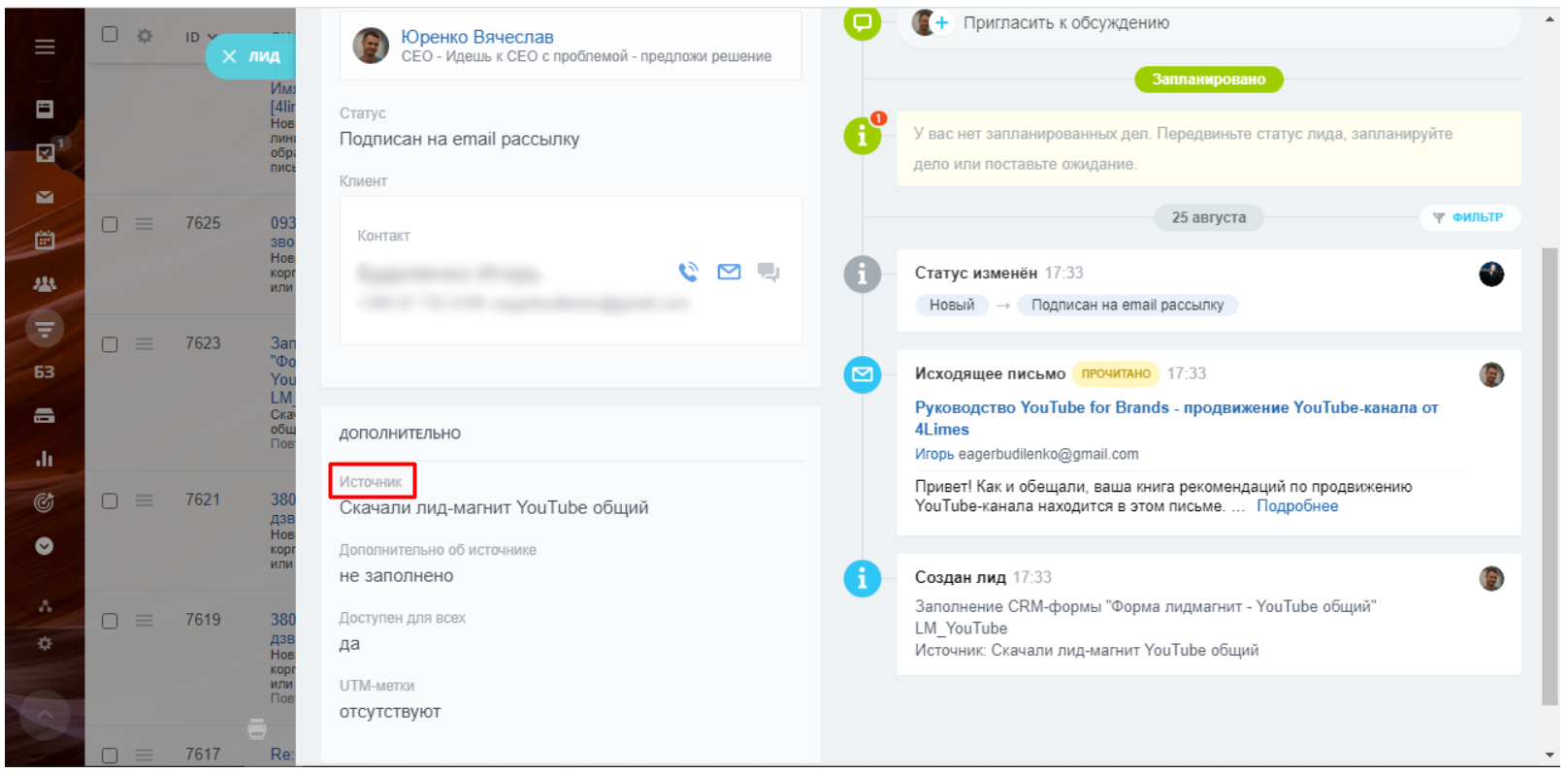
Traffic channels are also displayed in the client card
Thus, a report is generated in CRM both in terms of overall traffic payback and separately for each channel.
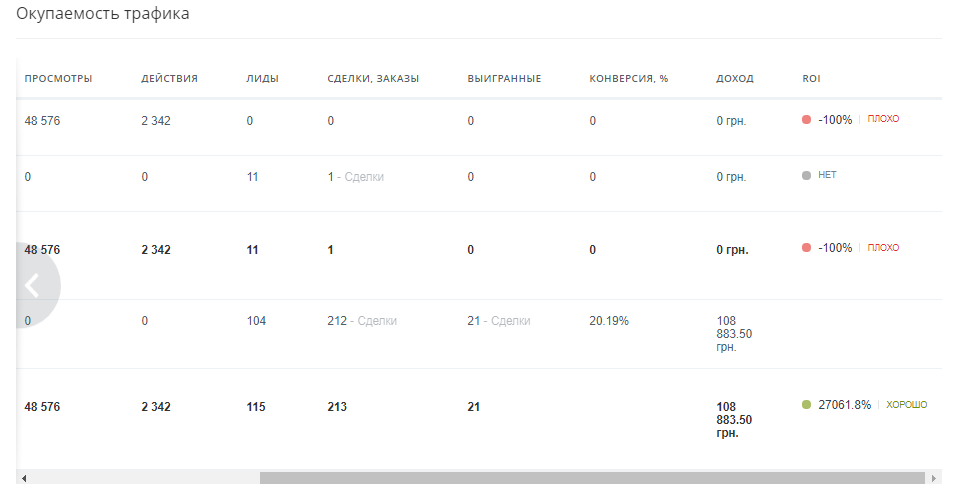
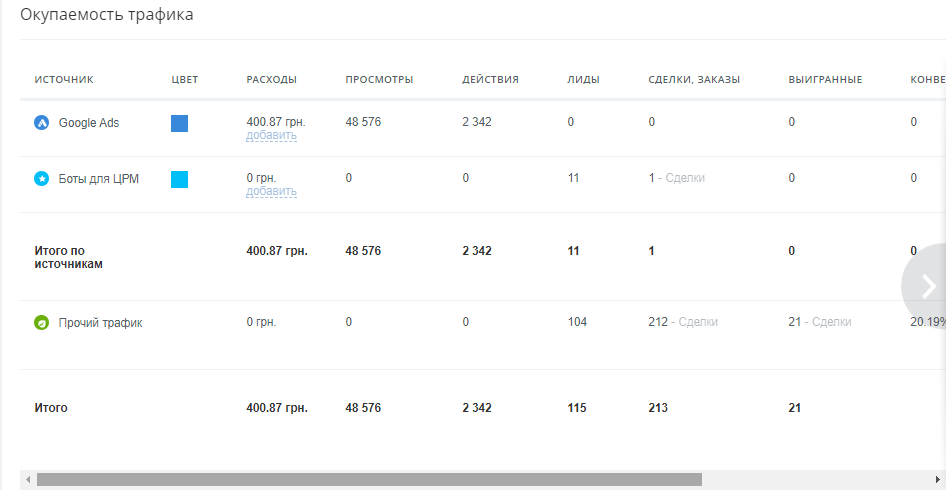
Also, using individual points in end-to-end analytics, you can configure more detailed reporting to receive information about:
Which ad was the most effective?
What is the cost of attracting one client?
The feasibility of investing in advertising
At what stage are attracted clients lost and why?
Impact of traffic on sales
Our satisfied clients











Case Studies

Case study on automation of business processes in the BTI office
OR BTI provides services in the field of real estate and land management.
Interested in a business automation service or need a consultation?
Fill out the contact form and expect a call from our manager within a few hours.
- phone_iphone
- mail_outline
- room
- access_time