Let's look at setting up reports using specific examples
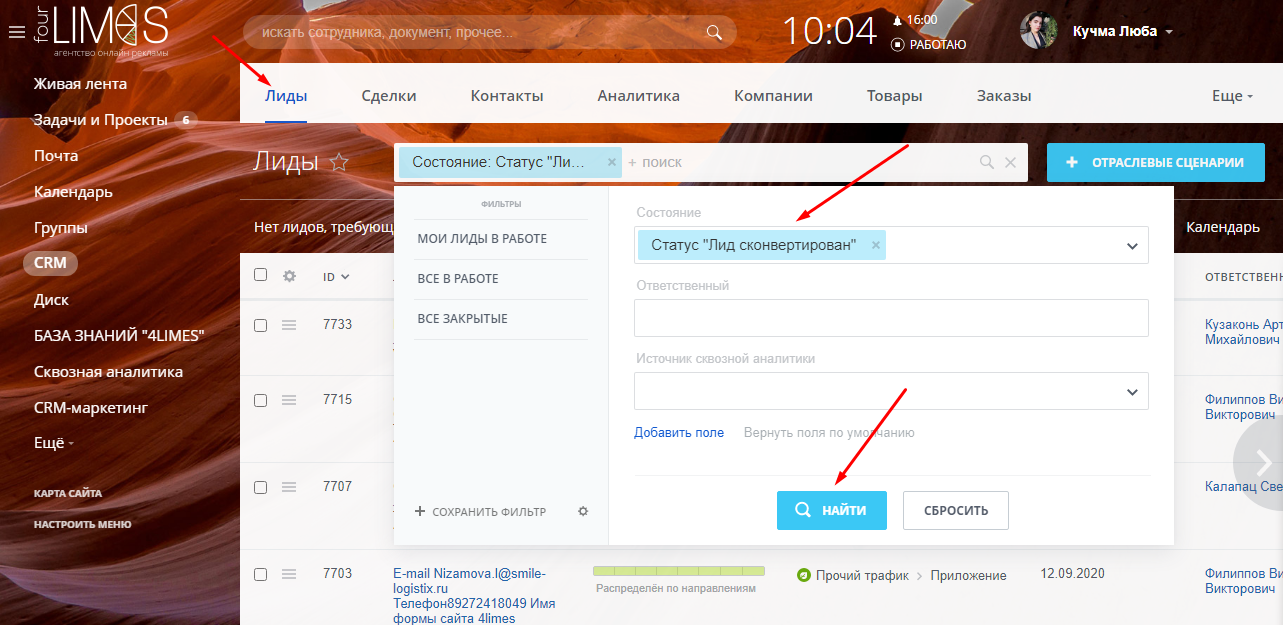
Simple reports in CRM can be built using filters. For example, you need to find out how many leads are at the “converted” stage», that is, how many leads turned into clients.
To do this, open leads and select a state “Lead converted”
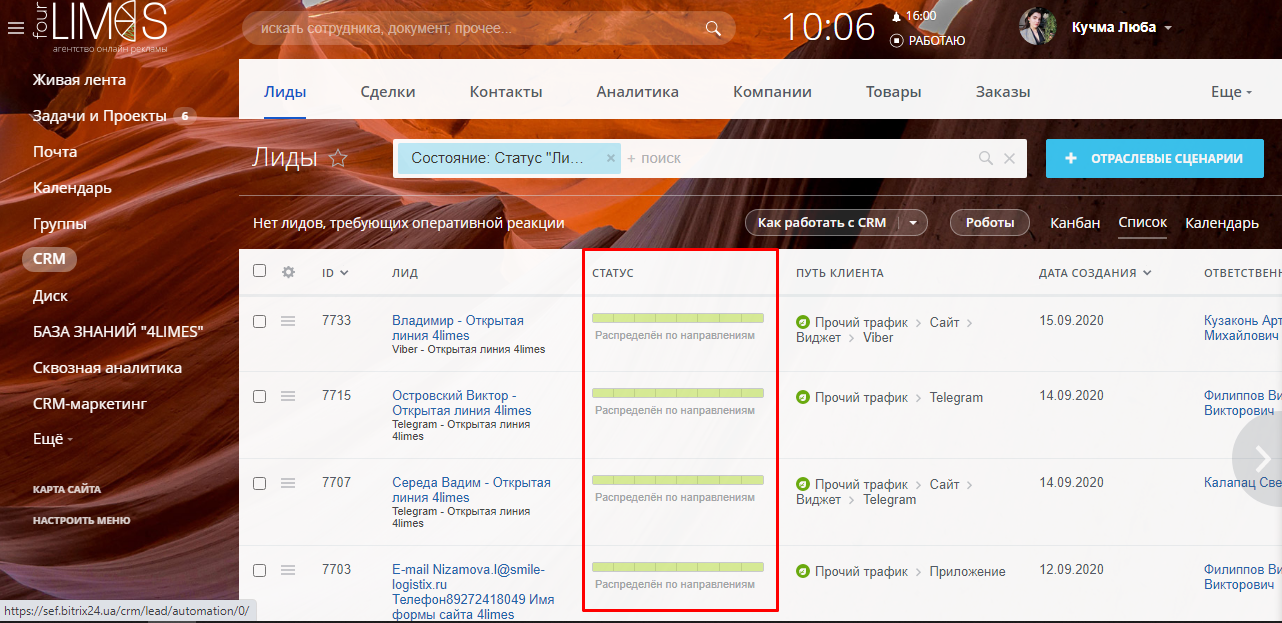
We receive the finished report instantly. It can be upload to Excel and further process using a spreadsheet
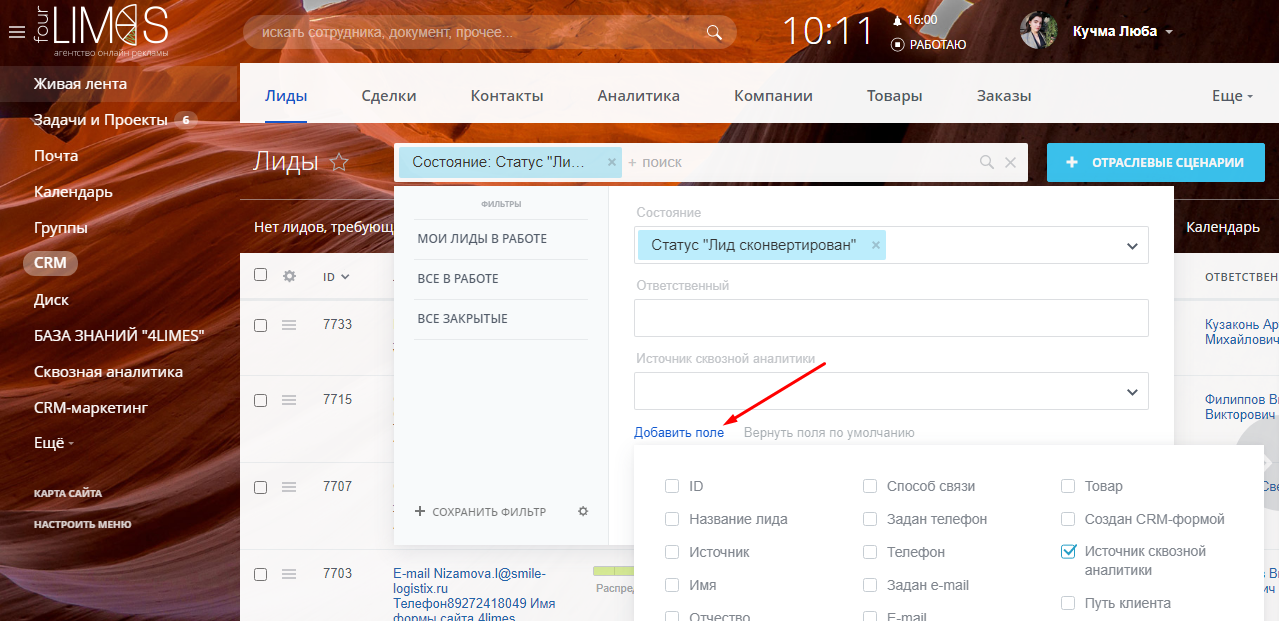
If you need a more detailed version of the report, you can add additional fields to the filter. To do this, you need to correctly configure the fields in the cards
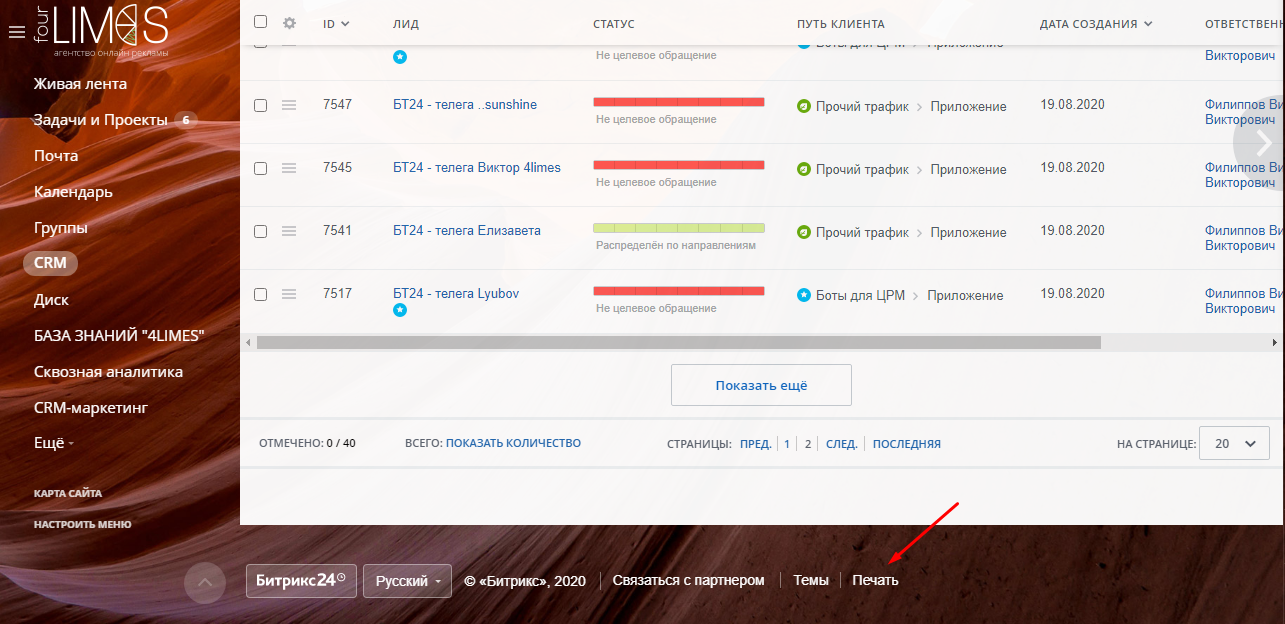
The finished report can be printed
Building complex reports in CRM
If you need to build reports for a period of time, in CRM it is convenient to do this in a special constructor
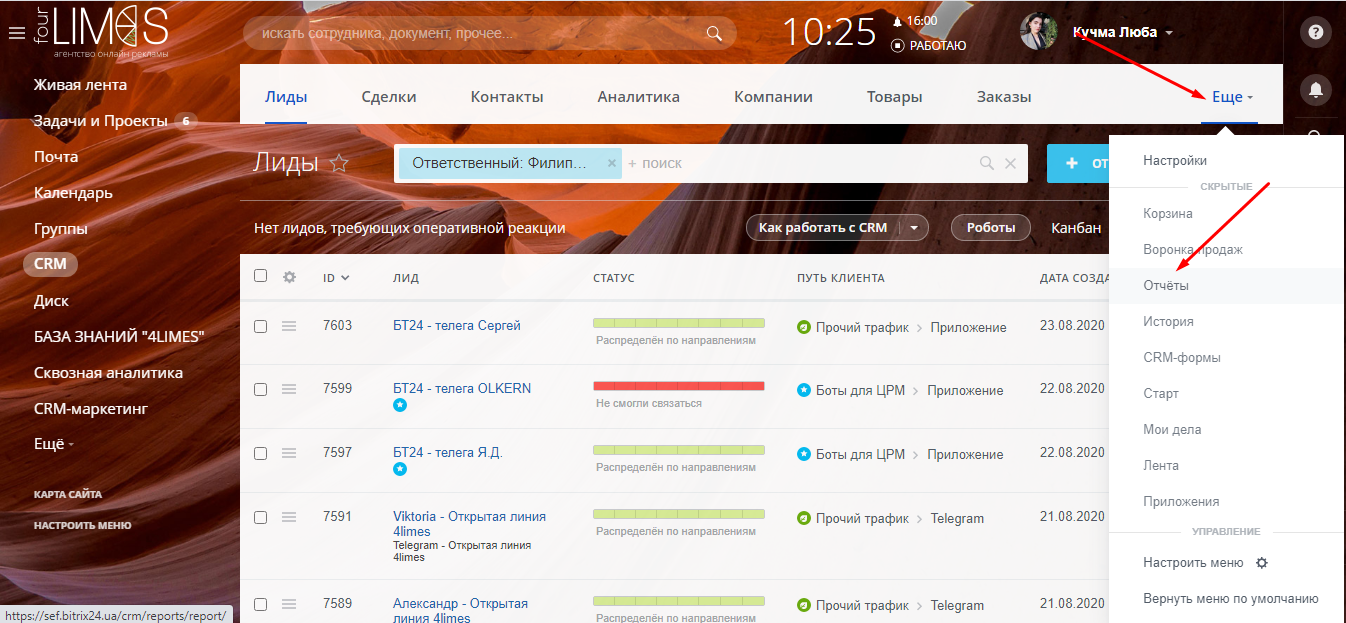
For example, let’s create a report on transactions for which payment was received. To do this, go to “Reports” section. On the page that opens, click “Add new report”
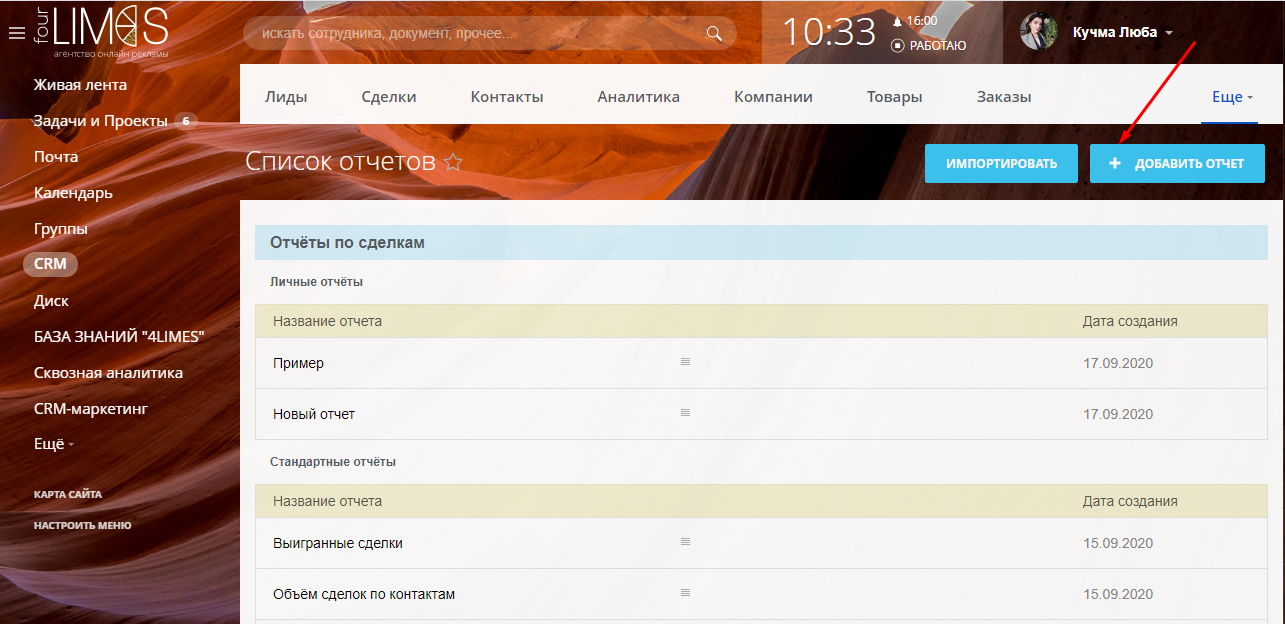
Select the entity on which the report is built – Transaction
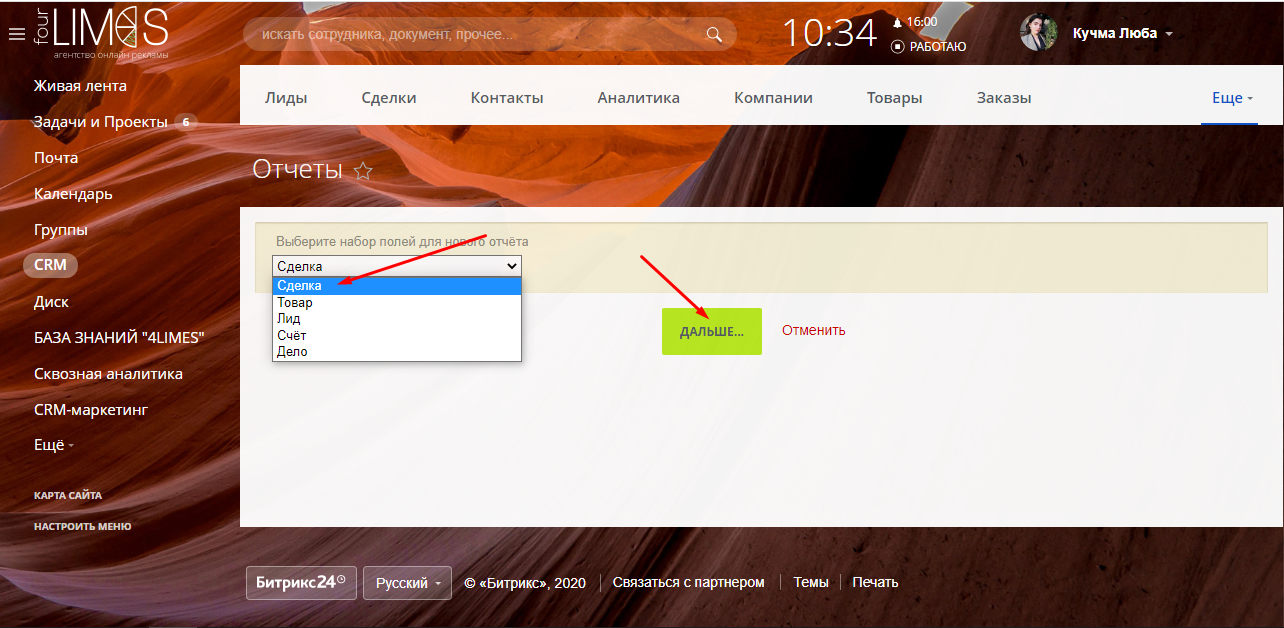
Enter the name and select the reporting period
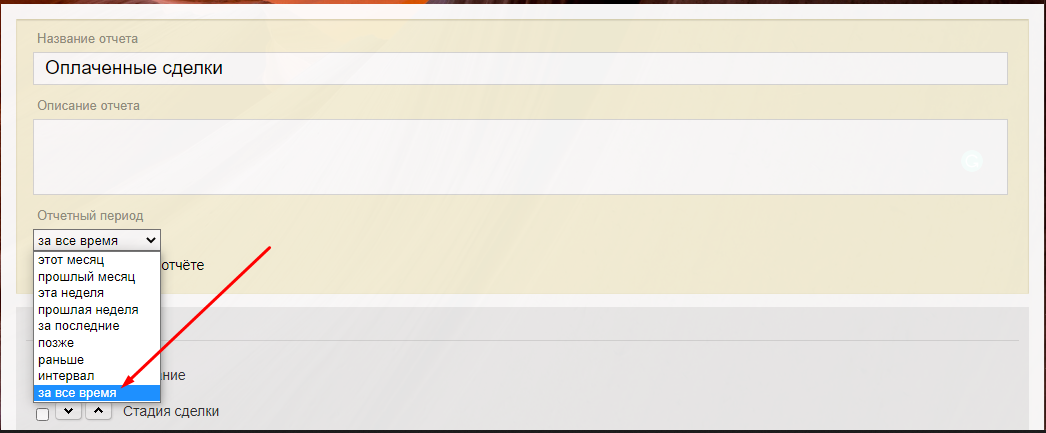
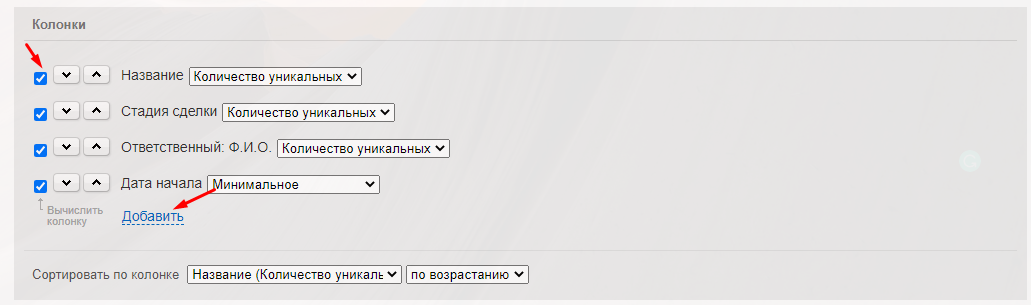
Add the columns that are required in the report
ф
You can also configure additional filters in the report. For example, we can add a filter by deal type
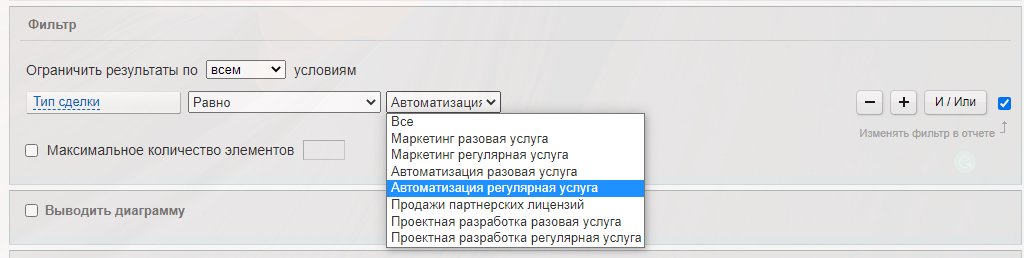
Thus, we will receive a report on paid transactions for a specific area of work
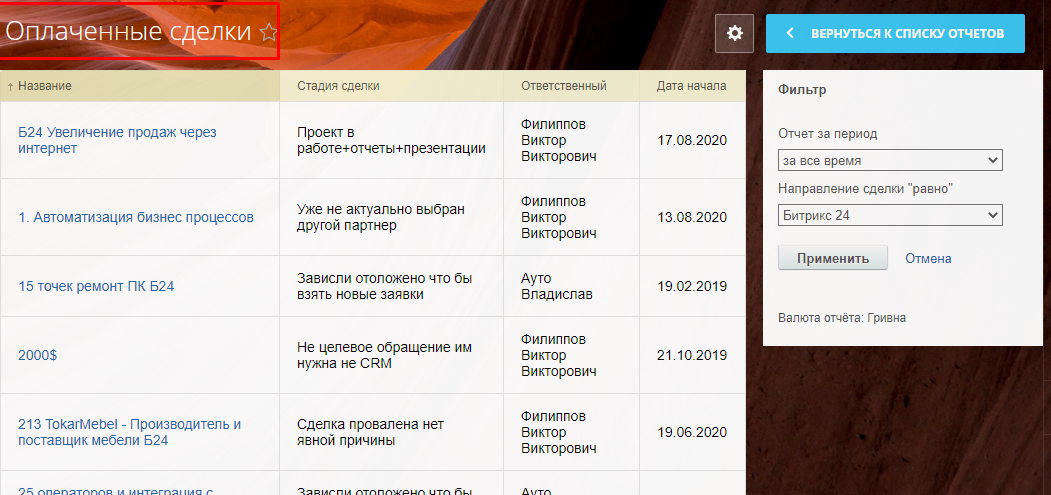
We are satisfied with our work











Interested in a business automation service or need a consultation?
Fill out the contact form and expect a call from our manager within a few hours.
- phone_iphone
- mail_outline
- room
- access_time